
1. 介紹
1.1 將味精轉換為的重要性 PDF 工具
MSG 是 Microsoft Outlook 和 Exchange 用於儲存電子郵件、行事曆事件和其他項目的文件格式。雖然 MSG 檔案是儲存電子郵件資料的通用標準,但該格式在 Outlook 之外並未得到廣泛支援。因此,許多用戶發現很難在未安裝 Outlook 的裝置上開啟和查看 MSG 文件,從而使處理這些類型的資料變得困難。
這就是轉換味精的重要性所在 PDF 工具登場。該工具將 MSG 檔案無縫轉換為普遍可識別的格式 PDF file format, which can be opened on virtually any device, thus ensuring the accessibility of the data they contain. These tools retain the exact structure, format, and attachments of your original Outlook MSG file after converting it to PDF, so you don’t lose any information throughout the conversion process.
1.2 修復 PDF 檔
一個很棒的工具 固定 PDF 檔 對所有人也至關重要 PDF 用戶。 DataNumen PDF Repair 被推薦:
1.3 本次比較的目的
此比較的主要目標是幫助您確定將 MSG 轉換為 PDF 透過分析和比較幾種市場領先工具的關鍵方面,該工具最適合您的需求。我們將簡要介紹每個工具,以及各自的優缺點清單。在本指南的最後,我們的目標是全面介紹每個工具的效能、易用性、功能和限制。
此類資訊將作為寶貴的資源,幫助個人用戶和企業在選擇 MSG 時做出明智的決定。 PDF 轉換工具。無論您優先考慮速度、準確性、使用者介面或附加功能,這種比較都將幫助您找到滿足您特定要求的工具。
2. PDFen
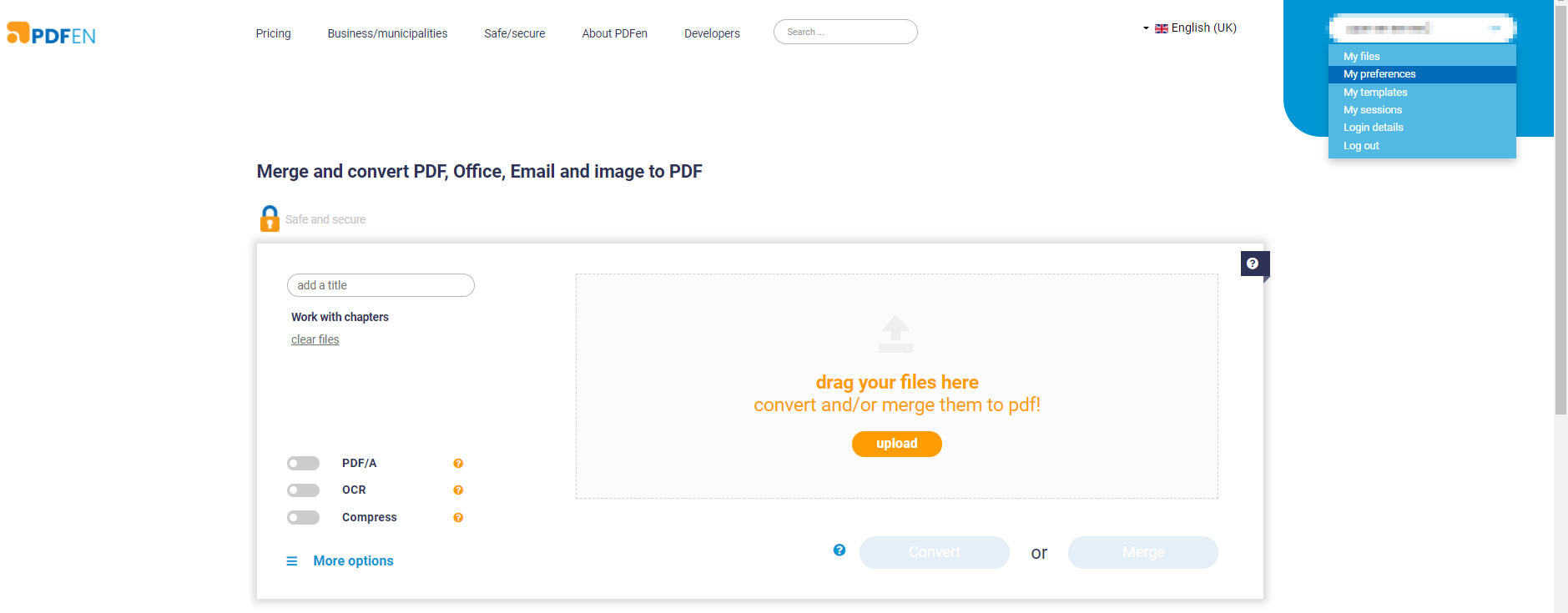
PDFen is an online tool specifically designed to perform various file conversion tasks, including the conversion of MSG files to PDFs. It aims to offer a simple, user-friendly interface for users of all skill levels. PDFen gives you the ability to not only convert your MSG files but also merge and edit them to fit your specifications before saving them in PDF 格式。
2.1個優點
- 線上平台: Being an online tool, PDFen don’t require any software download or installation. This makes the tool accessible from any device with a web browser, offering immense convenience to the users.
- 易於使用: 網頁介面相當直覺且易於導航。它提供了一個簡單的過程來上傳、轉換和下載檔案。
- 附加功能: Apart from converting MSG to PDF, PDFen also supports the merging of multiple files into one PDF 並提供基本的編輯功能。
2.2個缺點
- 有限免費使用: 雖然該工具在一定程度上是免費的,但它對檔案大小和轉換次數施加了一定的限制。要繞過這些限制,需要付費升級。
- 對網路的依賴: Since PDFen is purely an online tool, it’s performance and speed is affected by the stability and speed of your internet connection. In case of poor connectivity, the conversion process can be slow or may even fail.
- 無法離線存取: Because it is a web-based tool, you cannot use PDFen when there’s no internet access, which may hinder its use in certain circumstances.
3. Zamzar MSG to PDF
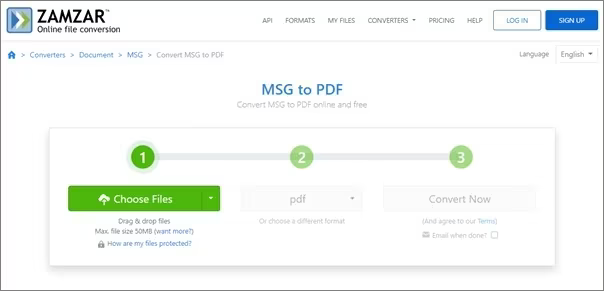
札姆扎味精至 PDF 是一個線上轉換工具,可讓您將 MSG 檔案轉換為 PDF 毫不費力地記錄文件。它是 Zamzar 提供的更廣泛的文件轉換服務的一部分,Zamzar 是一個以其可靠性和易用性而聞名的平台。
3.1個優點
- 多個文件轉換: Zamzar 不僅支援將 MSG 轉換為 PDF 文件,而且還提供廣泛的其他文件轉換選項,使其成為多功能且全面的工具。
- 簡單的界面: The process to upload MSG files and convert them into PDFs is straightforward and easy, even for less tech-savvy users, thanks to its intuitive interface.
- 電子郵件通知: 轉換過程完成後,Zamzar 會向您的收件匣發送一封電子郵件通知,其中包含下載轉換後的文件的鏈接,該功能對於需要大量時間才能轉換的大文件非常有用。
3.2個缺點
- 尺寸限制: 使用免費版本,您只能轉換特定大小的檔案。較大的文件需要付費訂閱。
- 轉換緩慢: 根據伺服器負載和檔案大小,轉換過程有時可能會很慢,尤其是對於較大的檔案。
- 有限免費使用: Zamzar 的免費版本對每日轉換次數有限制,要解除這些限制,您需要付費訂閱。
4. 全面郵件轉換器
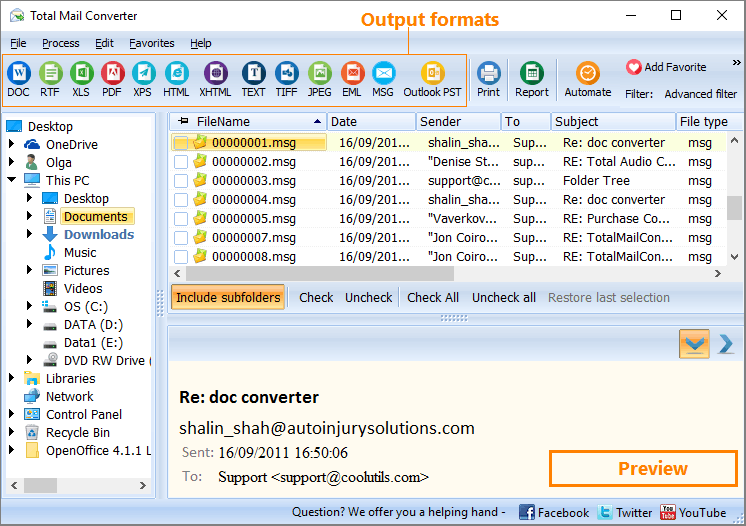
Total Mail Converter by Coolutils is a dedicated software designed to manage email conversions effectively. Apart from MSG to PDF, it supports a multitude of conversions, making it a suitable tool for a wider array of applications. It also offers advanced tweaks for output files, enhancing its utility.
4.1個優點
- 批量處理: 提供快速批次轉換多個 MSG 檔案的功能,這對於處理大量檔案的使用者非常有利。
- 高級功能: 該軟體包括在轉換後的文件中添加頁眉和頁腳、頁面計數器或日期的選項,為用戶提供了更大的靈活性。
- 多功能性: Total Mail Converter supports various conversion formats beyond MSG to PDF, increasing its versatility and utility.
4.2個缺點
- 需要安裝: 與線上工具不同,Total Mail Converter 需要下載並安裝,這可能不是某些使用者所喜歡的。
- 付費軟體: Total Mail Converter 沒有免費版本,這可能會成為尋找免費轉換解決方案的用戶的障礙。
- 接口: 由於其高級設定和選項,該介面可能會讓某些用戶不知所措。
5.ZOOK味精至 PDF 下載器/轉檔器
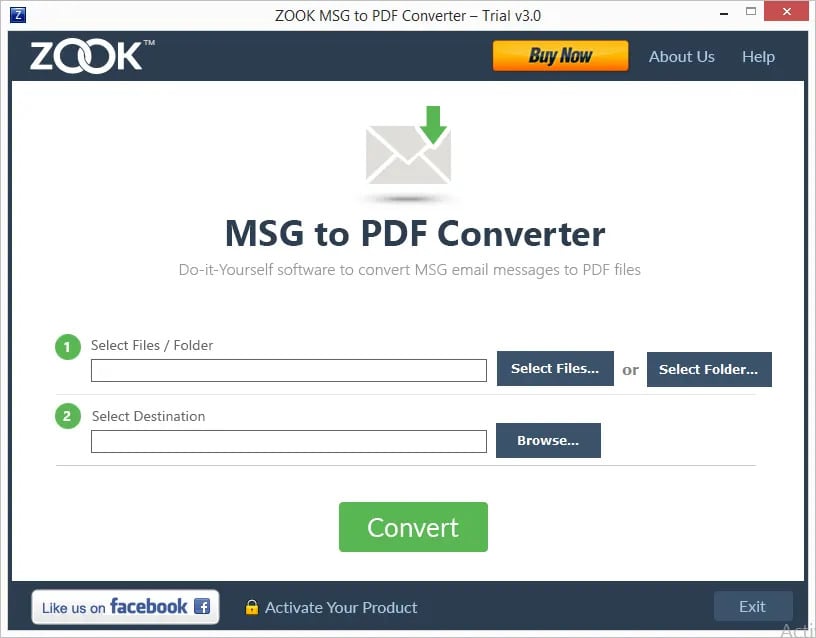
ZOOK 味精至 PDF Converter is a standalone software that offers a quick and easy solution to convert MSG files to PDF. This tool focuses on maintaining the integrity of the data and keeping the original formatting and structure fully intact during the conversion process.
5.1個優點
- 數據的完整性: ZOOK 味精至 PDF Converter 旨在保持原始格式和結構完整,因此轉換後的檔案保留其原始佈局和內容。
- 批量轉換: 該軟體支援同時轉換多個文件,這有助於在處理大量文件時節省時間。
- 獨立軟體: 不需要安裝 MS Outlook for MSG 即可 PDF 轉換,為沒有安裝Outlook的用戶提供了極大的方便。
5.2個缺點
- 需安裝軟體: ZOOK 味精至 PDF 轉換器需要安裝軟體,這對於喜歡線上工具的人來說可能是一個缺點。
- 沒有免費版本: 儘管提供了演示版本,但只有付費版本才能解鎖全部功能,這可能會限制尋求免費解決方案的用戶的可訪問性。
- 接口: 該介面雖然功能齊全,但缺乏一些現代設計元素,這可能不會吸引某些用戶。
6. AConvert MSG to PDF
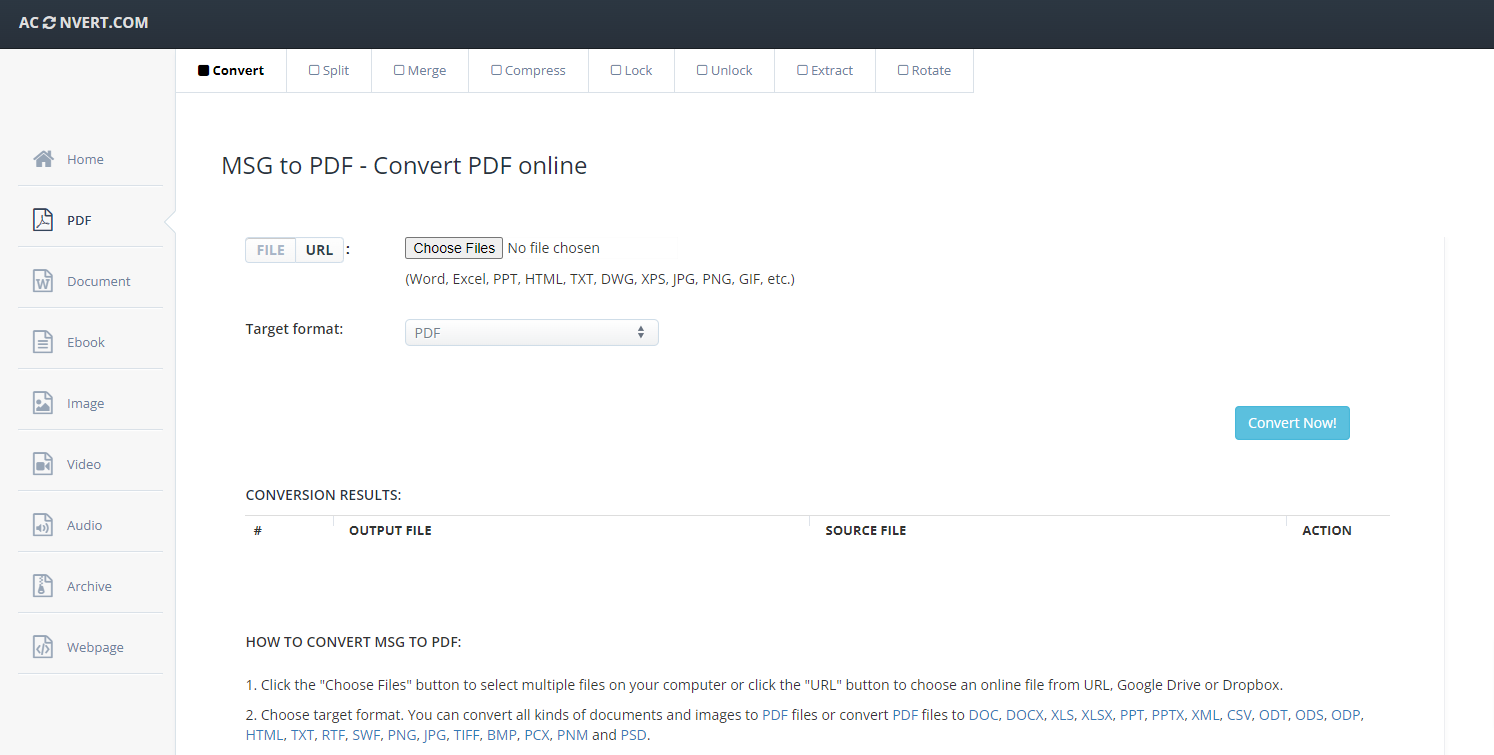
A將 MSG 轉換為 PDF is an online based conversion tool that offers a quick solution for converting MSG files to PDF. It’s an easy-to-navigate platform which supports multiple file conversions, including but not limited to a large variety of document, ebook, image, icon, video, audio and archive conversions.
6.1個優點
- 免費使用: 作為一個線上工具,AConvert MSG to PDF 完全免費使用基本功能。
- 無需安裝軟件: 作為一個線上工具,它不需要下載任何軟體,既方便又節省儲存空間。
- 支援多種格式: 除了味精之外 PDF 轉換,它支援多種不同的檔案轉換,從而增加了多功能性。
6.2個缺點
- 檔案大小限制: 免費版本中可以上傳和轉換的檔案大小有限制。
- 取決於網路連線: 作為線上工具,轉換的速度和效能取決於用戶網路連線的速度和穩定性。
- 廣告: 作為免費工具,您可能會在網頁上遇到廣告,這可能會分散某些用戶的注意力。
7.PCVARE味精至 PDF 下載器/轉檔器
PCVARE 味精至 PDF Converter是一款專門的轉換軟體,可以讓使用者將MSG檔案轉換為 PDF 以簡單直接的方式。它的設計著重於簡單性和有效性,以最小的麻煩提供準確的轉換結果。
7.1個優點
- 數據保存: PCVARE 味精至 PDF Converter 保留原始 MSG 檔案的資料結構、元資料和附件,確保整個過程中不會遺失資料。
- 快速處理: The software is capable of converting multiple files at once, drastically boosting its processing time.
- 兼容性廣: PCVARE的工具相容於所有Windows平台,使其成為大量使用者的便利選擇。
7.2個缺點
- 軟件安裝: 與基於網路的平台不同,該工具需要安裝在電腦上,這可能不適合所有使用者。
- 成本: 該軟體不是免費的,要解鎖其所有功能,您需要購買完整版本。這對某些用戶來說可能是一個障礙,尤其是那些預算緊張的用戶。
- 不支援 Mac: 該軟體不適合 Mac 用戶,因為它只能在 Windows 系統上運行,限制了其用戶群。
8.ReliefJet 必需品
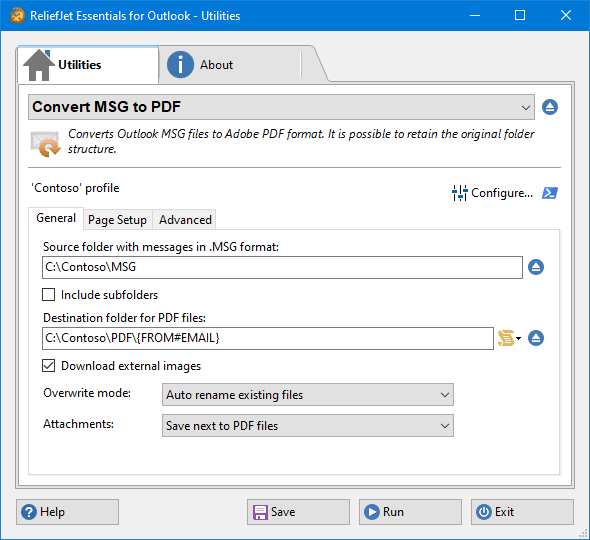
ReliefJet Essentials 是一款綜合工具,提供與電子郵件處理相關的多種功能,包括將 MSG 檔案轉換為 PDF 格式。它專為 Microsoft Outlook 設計,作為一個方便的附加元件,在使用者熟悉的 Outlook 介面中為使用者提供許多額外的功能。
8.1個優點
- 展望整合: 它被設計為 Outlook 的插件,可在熟悉的 Outlook 介面中無縫整合到使用者的常規工作流程中。
- 多種功能: 它不僅僅是味精 PDF 轉換器-它包括各種其他與電子郵件相關的工具和功能,增強了其整體價值。
- 批量處理: 它可以同時處理多個 MSG 文件,從而在處理大量資料時非常有效率。
8.2個缺點
- 複雜: 由於其眾多的特性和功能,對於新用戶或非技術用戶來說,學習曲線可能會很陡峭。
- 成本: Although it offers a free limited version, full access to all features comes with a cost.
- 需要展望: 作為 Outlook 的插件,此工具需要在電腦上安裝並正確配置 Outlook 才能運作。對於未安裝 Outlook 的使用者來說,此限制可能是一個障礙。
9. GroupDocs MSG 至 PDF 下載器/轉檔器
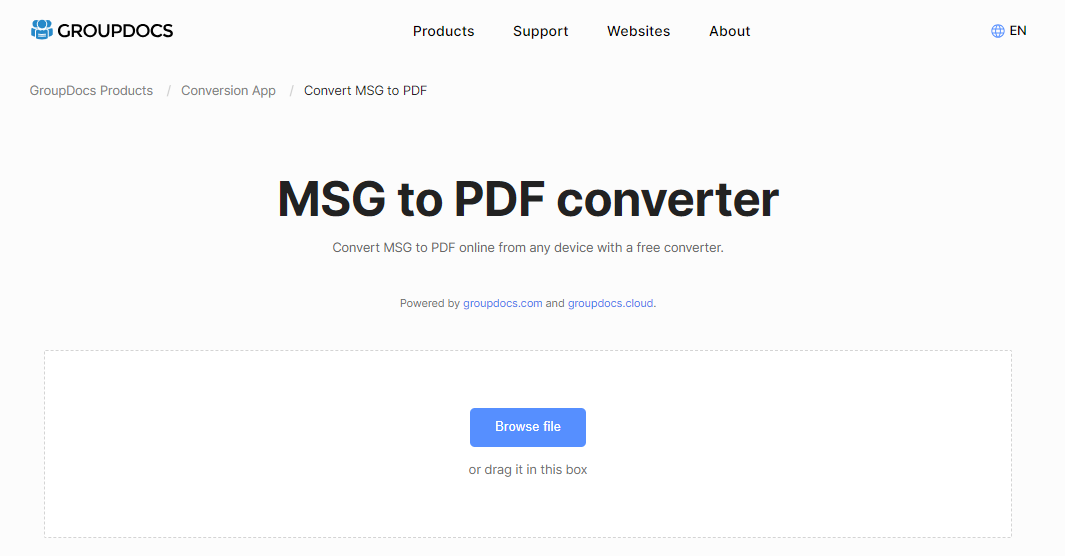
GroupDocs MSG 至 PDF Converter is an online conversion tool which provides a simple and efficient solution for users who want to convert MSG files to PDF. With a user-friendly interface, this tool removes any complex steps, making the conversion process quick and straightforward.
9.1個優點
- 易於使用: GroupDocs 提供直覺的介面,簡化了轉換過程,讓各種技術專業水平的使用者都能輕鬆完成。
- 在線工具: 作為線上工具,無需安裝軟體,節省電腦上的儲存空間,並允許從任何具有網路連線的系統進行存取。
- 快速轉換: GroupDocs MSG 至 PDF 轉換器可以快速處理文件,確保轉換後的文件立即準備就緒。
9.2個缺點
- 網路依賴: 此轉換器依賴於互聯網連接。轉換的速度和穩定性可能會受到您的網路連線的影響。
- 尺寸限制: 您一次可以轉換的檔案的大小和數量可能會受到限制,具體取決於您使用的服務等級。
- 較少的功能: 雖然其簡單性是其優點,但一些用戶可能會發現它缺乏專用軟體解決方案中的高級功能。
10. PDFConvertOnline Email to PDF
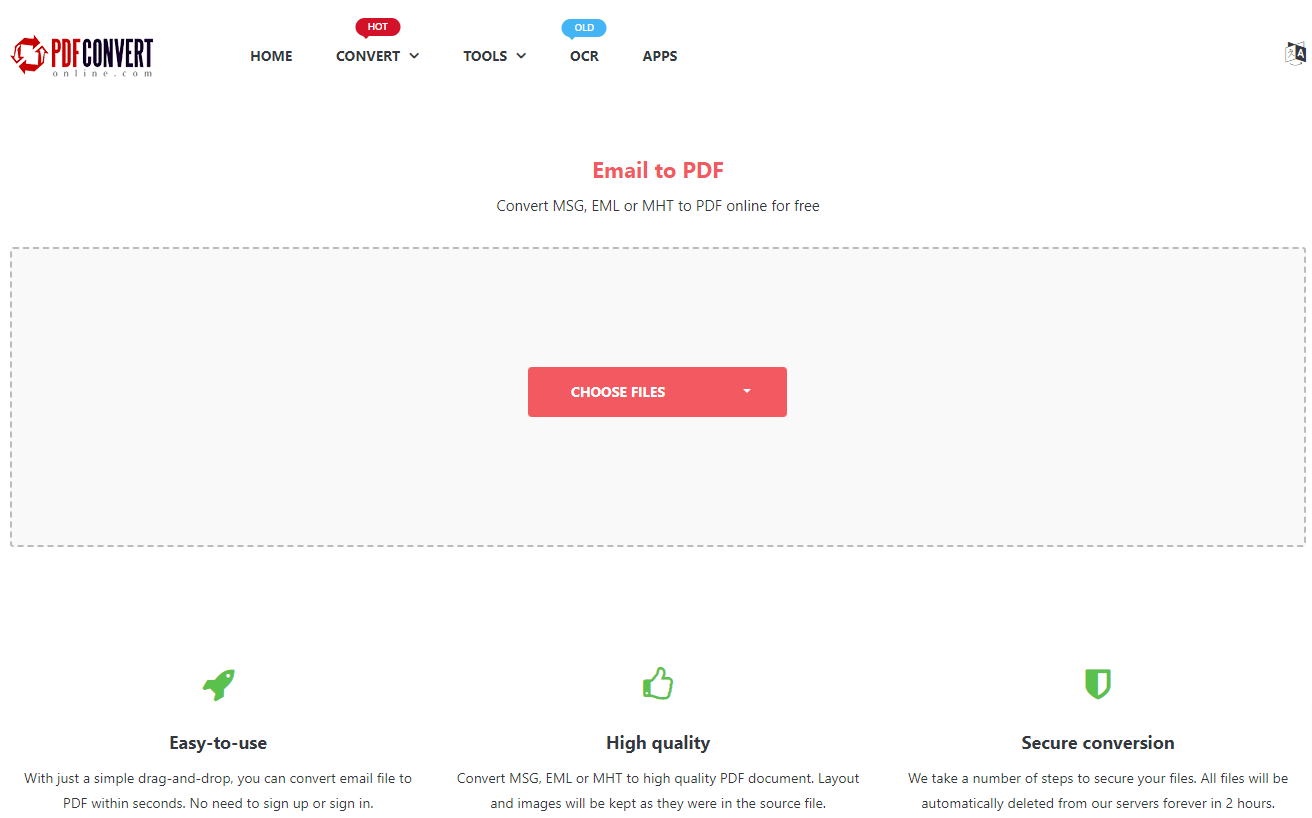
PDFConvertOnline Email to PDF is an online-based converter tool that allows the conversion of a range of email file types, including MSG, to PDF. It aims to provide a stress-free conversion experience with minimal user effort.
10.1個優點
- 免費使用: PDFConvertOnline Email to PDF 轉換器是一項免費的線上服務,不需要任何付款。
- 無需安裝: 作為一種線上工具,它無需下載或安裝任何軟體,從而節省用戶的儲存空間。
- 簡單的界面: 使用者介面非常簡單,允許用戶快速轉換他們的 MSG 文件,沒有任何麻煩。
10.2個缺點
- 互聯網依賴性: 作為一個基於網路的工具,任何轉換過程都完全取決於用戶網路連線的穩定性和速度。
- 文件限制: 一次可轉換的檔案的大小和數量可能有限制。
- 缺乏高階功能: 該工具缺乏一些其他專用轉換器工具中提供的高級功能,例如批次或文件編輯。
11.SysTools MSG 到 PDF 下載器/轉檔器
SysTools MSG 至 PDF Converter是一款專門用於MSG檔案轉換的軟體應用程式。它專注於提供簡單的用戶體驗以及準確性和快速轉換。該工具還提供附加功能來增強轉換後的效果 PDF 文檔。
11.1個優點
- 批量轉換: SysTools MSG 至 PDF 轉換器支援MSG檔案的批次處理,方便同時快速轉換多個檔案。
- 附加功能: Along with conversion, this tool provides other beneficial features like ability to save individual MSG files to PDFs and bulk export emails.
- 無需安裝 Outlook: 該工具不需要在系統中安裝MS Outlook,對於沒有Outlook的使用者來說也很實用。
11.2個缺點
- 軟件安裝: 由於這是一個軟體工具,因此需要下載並安裝到您的系統上。
- 成本: 雖然演示版本是免費提供的,但要使用該軟體的全部功能則需要購買完整版本。
- 接口: 使用者介面雖然功能齊全,但對於某些用戶來說可能顯得過時。
12.Sysinfo MSG 轉換工具
Sysinfo MSG Converter is a dedicated tool built to convert MSG files into various file formats, including PDF. In addition to conversion, the tool also provides various helpful features like email filtering and selective file conversion.
12.1個優點
- 多種格式轉換: The tool supports converting MSG files into a wide variety of formats, including PDF, enhancing its versatility.
- 高級功能: It possesses additional facilities like email filtering for selective conversion and maintaining the folder hierarchy of MSG files.
- 簡單的介面: Sysinfo MSG Converter 提供易於使用、直覺的介面,引導使用者輕鬆完成轉換步驟。
12.2個缺點
- 軟件安裝: 作為一個軟體工具,使用者需要下載並安裝在他們的系統上,這可能不適合所有使用者。
- 付費工具: 要存取其所有高級功能,用戶需要購買付費版本。提供免費演示,但功能有限。
- 兼容性: 該軟體僅與基於 Windows 的系統相容,因此 Mac 或 Linux 用戶無法使用。
13。 總結
13.1 總體比較表
| 工具 | 產品特性 | 易於使用 | 價格 | 客戶服務 |
|---|---|---|---|---|
| PDFen | 轉換、合併和編輯 | 容易 | 免費和付費 | 固德 |
| Zamzar MSG to PDF | 多檔案轉換 | 容易 | 免費和付費 | 固德 |
| 全面郵件轉換器 | 進階功能、批次處理 | 中度 | 已付款 | 固德 |
| ZOOK 味精至 PDF 下載器/轉檔器 | 資料完整性、批量轉換 | 容易 | 已付款 | 固德 |
| AConvert MSG to PDF | 多格式轉換 | 容易 | 免費 | 中度 |
| PCVARE 味精至 PDF 下載器/轉檔器 | 資料保存、批次 | 容易 | 已付款 | 固德 |
| ReliefJet 必需品 | Outlook 集成,多種功能 | 中度 | 已付款 | 固德 |
| GroupDocs MSG 至 PDF 下載器/轉檔器 | 快速轉換 | 容易 | 免費 | 中度 |
| PDFConvertOnline Email to PDF | 快速轉換 | 容易 | 免費 | 中度 |
| SysTools MSG 至 PDF 下載器/轉檔器 | 批次轉換,附加功能 | 中度 | 已付款 | 固德 |
| Sysinfo MSG 轉換工具 | 多種格式轉換,進階功能 | 容易 | 已付款 | 固德 |
13.2 根據不同需求推薦工具
Based on our evaluation, for users who value ease of use and free cost, PDFConvertOnline and AConvert are recommended as they offer quick conversions and are easy to handle. For users with high volume of MSG files and advanced needs, products like SysTools MSG to PDF Converter 和 Total Mail Converter 會比較適合。對於那些優先考慮資料完整性的人來說,ZOOK MSG 可以 PDF 轉換器和 PCVARE MSG 至 PDF 建議使用轉換器,因為它們可確保保留原始格式。最後,工具的選擇將取決於使用者的特定需求和優先順序。
14. 結論
14.1 選擇將 MSG 轉換為的最終想法和要點 PDF 工具
每個味精 PDF converter tool discussed in this guide has its own unique attributes and potential drawbacks. As such, the most suitable tool greatly depends on individual or business needs. When choosing a tool, it is essential to consider factors such as ease of use, data integrity, speed, conversion capabilities, and cost.
對於快速簡單的轉換,免費的線上工具可能是最佳選擇。對於更複雜的需求,例如批次、附加功能和資料保存,付費軟體可能是一項有價值的投資。請記住,對一個人最有效的選擇對另一個人來說可能不是最佳選擇。確定您的需求的優先級,評估每個工具的功能,並毫不猶豫地嘗試多種選項,直到找到完全適合您要求的選項。
總而言之,我們希望本指南能成為寶貴的資源,幫助您在選擇味精時做出明智的決定 PDF 轉換器工具。
作者簡介:
陳薇薇(Vera Chen)是 DataNumen,提供廣泛的產品,包括強大的 PowerPoint PPTX 恢復 工具。